
ONE FRAME. A WHOLE COMMUNITY.
One frame. A whole community of possibilities.
Pexure Frame Studio turns a transparent PNG frame into a shareable profile-image campaign. Creators publish the artwork once; participants open the link, add their own photos and make a finished composition in the browser.
Create a campaign around your frame
Upload a PNG with a transparent photo opening, add a title, organizer and participant instructions, then configure the canvas. Position the frame, choose a photo mask if needed and review the composition before publishing. A creator account is required to save artwork and publish a campaign.
Let every participant make it personal
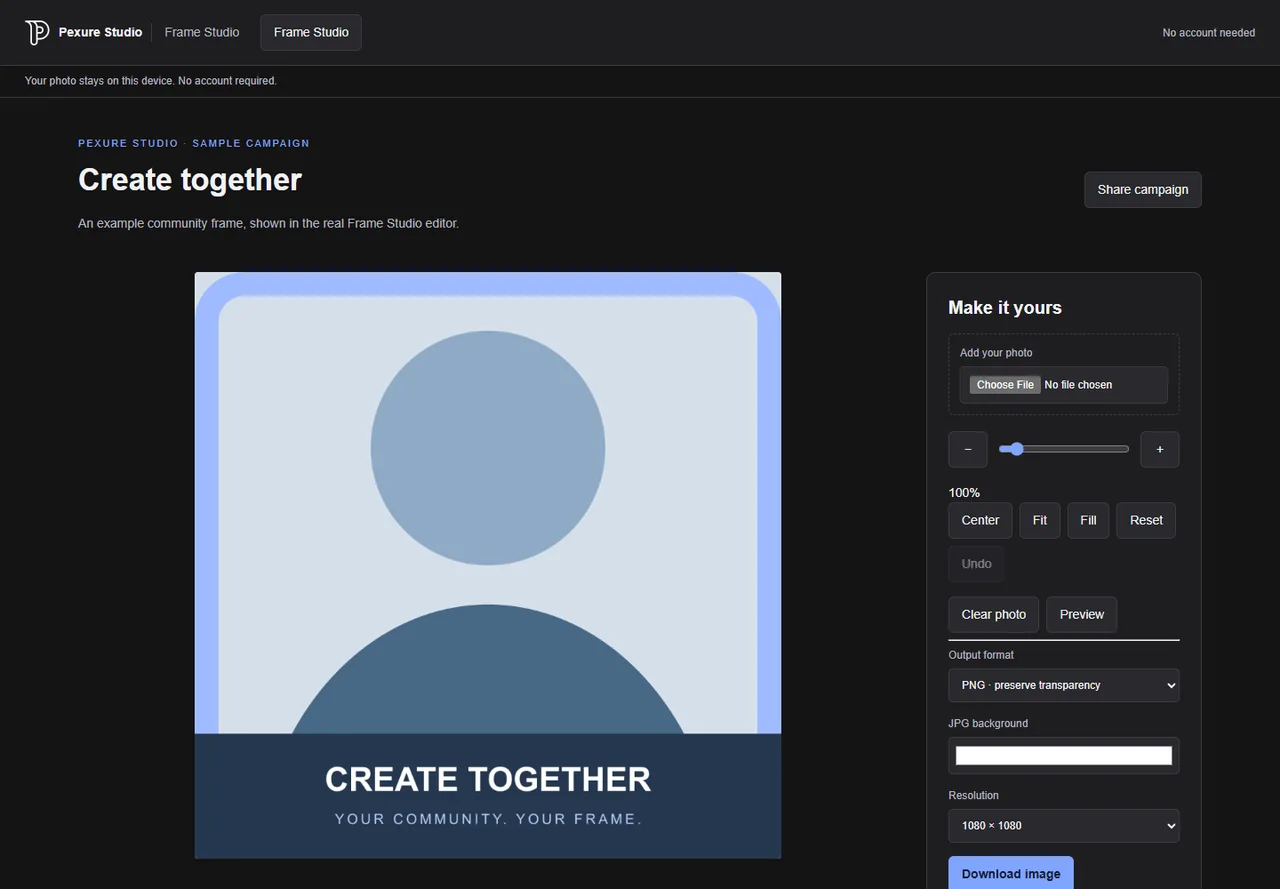
Visitors to a published campaign do not need an account. They can upload a JPEG, PNG or WebP photo, drag it behind the fixed frame, and use zoom, fit, fill or center controls. On supported touch devices, pinch-to-zoom helps position the photo. Participant photos are processed in the browser rather than uploaded to Pexure.
Share a link, download an image
Published campaigns receive a stable URL and a locally generated QR code. Visitors can preview and download a PNG, preserving transparent areas, or choose a JPG with a solid background. The downloaded composition contains the frame and photo, without editor controls or an added watermark.
Before you finish your project
Prepare a PNG with a genuinely transparent photo opening. Creator artwork can be up to 12 MB and 4096 × 4096 pixels. Participant photos can be JPEG, PNG or WebP up to 20 MB and 40 million pixels; larger working dimensions are reduced for browser performance. Test your campaign with portrait and landscape photos, inspect the frame position, and confirm that the downloaded composition matches your intended layout before sharing its URL.
WORKFLOW QUESTIONS
Know what to expect.
Does this change my Facebook profile picture automatically?
No. Frame Studio generates an image. Download it, then upload it to your profile using the social platform’s normal controls.
Can I update or unpublish a campaign?
Yes. Creators can save edits privately and explicitly publish an updated version without changing the campaign link. Unpublishing prevents new public access; images someone already downloaded cannot be recalled.
Are visitor photos stored on the server?
No participant-photo upload endpoint is used. Personal photos remain in browser memory. Optional usage analytics are off by default and exclude photos.